 Vidiyo
Create a video with AI
Describe a video in Vidiyo Studio, pick its length and format, spend Create Credits to generate it, and find the finished clip in your library ready to air.
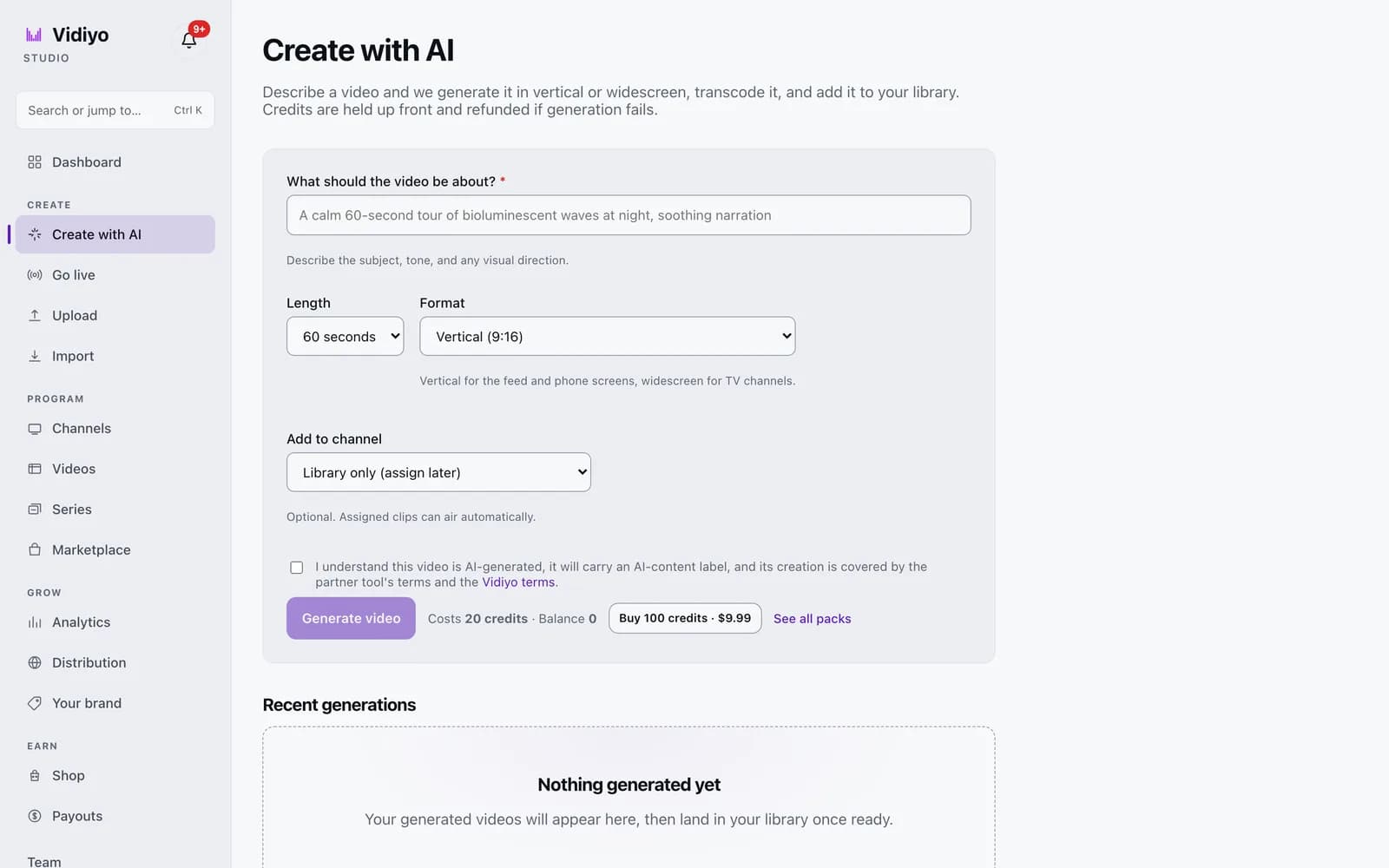
Create with AI turns a written prompt into a finished video. Vidiyo generates it through a partner tool, transcodes it like an upload, and adds it to your library. From there it can air on a channel or post to the Feed like any other video.
Create with AI is in early access and rolling out to creators gradually. If Studio shows Create with AI isn't available yet, it has not reached your account.
Generation is the one thing on Vidiyo that costs money. It is paid in Create Credits. Everything else stays free.
Before you start
- Sign in to Vidiyo Studio with a verified email. Generation is blocked until you verify.
- Have credits. Verifying your email grants 30 free credits. A 60-second video costs 20.
Steps
1. Open Create with AI
In the Studio sidebar, under Create, click Create with AI.
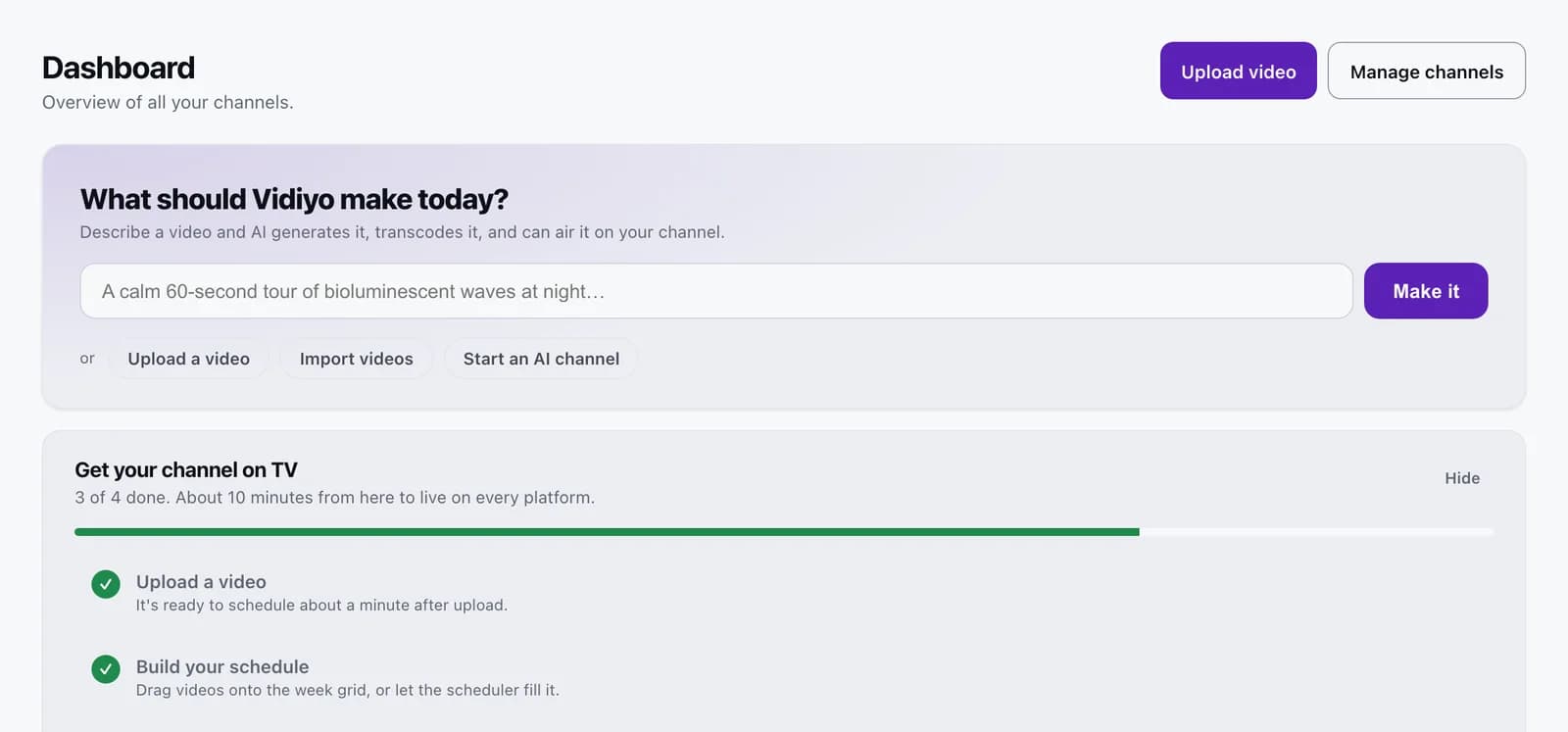
You can also start from the Dashboard. Type your idea into What should Vidiyo make today? and click Make it. Create with AI opens with your prompt already filled in.
2. Describe the video
In What should the video be about?, describe the subject, tone, and any visual direction. Up to 2,000 characters. The placeholder gives the idea: "A calm 60-second tour of bioluminescent waves at night, soothing narration."
3. Pick the length and format
Length offers 15, 30, 60, or 90 seconds, or 2 or 3 minutes. The price changes with it.
- Up to 30 seconds: 10 credits.
- 60 or 90 seconds: 20 credits.
- 2 or 3 minutes: 35 credits.
Format is Vertical (9:16) or Widescreen (16:9). Vertical suits the Feed and phone screens; widescreen suits TV channels.
4. Choose a channel (optional)
Add to channel defaults to Library only (assign later). Pick a channel and the clip joins that channel's library when it is ready, so it can air automatically.
Channels that cannot take the clip are greyed out with the reason: locked to landscape or locked to portrait when the format does not match, or adult channels don't allow AI content.
5. Accept the terms and generate
Check I understand this video is AI-generated, it will carry an AI-content label, and its creation is covered by the partner tool's terms and the Vidiyo terms.
Next to Generate video, the line reads Costs 20 credits, Balance 30. Click Generate video. A message confirms Generation started and the credits are held.
If your balance is short, click Buy 100 credits, $9.99 or See all packs. Packs are 100 credits for $9.99, 500 for $39.99, and 2,000 for $129.99. After checkout you return to this page to generate.
6. Watch it under Recent generations
Each job appears under Recent generations with a status: Queued, Generating, Finishing up, then Ready or Failed. While a job is still active you can click Cancel. If it stops in time, the message reads Cancelled and refunded; if it was already generating, the page tells you so.
When a job is Ready, click Open video to land in the editor. The clip is in your Videos library with an AI-content label.
Tips
- Credits are held when you click Generate video and refunded automatically if generation fails.
- Pick Widescreen (16:9) for a landscape 24/7 channel and Vertical (9:16) for the Feed. A channel locked to the other orientation cannot take the clip.
- Name the subject, the tone, and the visual direction in your prompt. The field hint asks for all three because they shape the result.
- To generate videos on a schedule instead of one at a time, see Start an AI channel.
Quick answers
How much does an AI video cost on Vidiyo?
10 credits up to 30 seconds, 20 credits for 60 or 90 seconds, and 35 credits for 2 or 3 minutes. Credits come in packs of 100 for $9.99, 500 for $39.99, and 2,000 for $129.99.
Do I get any free credits?
Yes. 30 credits are added once, when you verify your email. That covers one 60-second video and one 30-second video.
What happens if generation fails?
The job shows Failed and the credits that were held are refunded to your balance. Nothing is charged for a failed run.
Can I put an AI video on an adult channel?
No. Adult channels are disabled in Add to channel with the note adult channels don't allow AI content. AI-generated video airs on general-audience channels and the Feed only.
How long does generation take?
It varies by length and by the partner tool's queue. The job moves through Queued, Generating, and Finishing up on the Create with AI page. Generation runs on Vidiyo's side, so you can leave the page and come back.
Open Studio
Upload a video, go live, or program your channel. Studio is free, and every guide here walks you through one task.